Emma Reed
February 26, 2026

Screen Time and Headaches: What to Track Daily to Find Your Trigger Threshold
If your headaches seem to appear after “too much screen time,” you are not imagining the pattern. For many people, screen exposure is not a single trigger by itself — it acts more like a load on top of sleep, stress, hydration, posture, skipped meals, and visual strain. On a good day, you might tolerate long hours with no issue. On a vulnerable day, even a shorter session can push you over your threshold.
That is why the most useful question is not “Are screens bad?” The useful question is: “Under what conditions does screen time become too much for me?”
This guide gives you a practical system to track those conditions daily so you can identify your personal trigger threshold and make safer, smarter adjustments.
Medical note: This article is for education only and is not medical advice. It does not diagnose, treat, or cure any condition. If headaches are severe, new, worsening, or accompanied by concerning symptoms (for example weakness, confusion, vision loss, fever, chest pain, or “worst headache of your life”), seek urgent medical care.
Why “screen time” alone is too vague
When people say “screens cause headaches,” they are usually describing a bundle of factors:
- Continuous near focus without breaks
- Brightness/contrast mismatch
- Glare or poor lighting
- Reduced blink rate and dry eyes
- Neck and shoulder tension from posture
- Stressful cognitive load
- Delayed meals or dehydration during work blocks
- Sleep delay from evening exposure
If you only track total hours, you miss most of the mechanism. Two people can both report 8 hours of screen use and have very different symptom outcomes.
So your goal is to track dose + context + response.
What “trigger threshold” means in real life
A threshold is the point where your current stress load plus screen load becomes more than your body can comfortably handle.
Think of it like a bucket:
- Poor sleep adds water.
- Stress adds water.
- Dehydration adds water.
- Skipping meals adds water.
- Long, unbroken screen focus adds water.
Some days the bucket starts nearly empty. Some days it starts half full. The same screen session can be fine on one day and problematic on another. Tracking helps you see those patterns rather than guessing.
The minimum daily data to track (without burning out)
You do not need a perfect diary. You need a consistent one. Track these core fields each day:
- Total screen time (work + leisure)
- Longest unbroken session (minutes)
- Break behavior (how often and how long)
- Headache presence and intensity (0–10)
- Headache timing (start/end, especially relative to screen blocks)
- Sleep duration and quality
- Stress level (low/medium/high)
- Hydration quality (low/okay/good)
- Meal timing (on time vs delayed/skipped)
- Caffeine timing and amount
- Neck/shoulder tension score (0–10)
- Eye symptoms (dryness, blur, light sensitivity)
- Medication use and response
This set is enough for useful pattern detection in 2–4 weeks.
A practical daily log template
Use short entries. You can complete this in 1–2 minutes:
- Screen time: 7h 40m
- Longest continuous block: 115 min
- Breaks: 3 short breaks, no full 15-min break
- Headache: 6/10, started 15:20, improved by 19:00
- Sleep: 5h 50m, low quality
- Stress: high
- Water: low before noon
- Meals: lunch delayed
- Caffeine: 2 coffees, second at 16:30
- Neck tension: 7/10
- Eyes: dry + light sensitive
- Medication: [name], 16:00, partial relief
That is enough data to support real decisions.
Build your first threshold baseline in 14 days
Days 1–3: Track only
No analysis yet. Focus on consistency.
Days 4–7: Add context quality
Be stricter about sleep, meal timing, hydration, and breaks.
Days 8–10: First trend review
Look for when headaches happen relative to long screen blocks.
Days 11–14: Threshold clues
Ask:
- Do headaches increase after continuous blocks beyond a specific duration (for example >60 or >90 minutes)?
- Are headaches more likely on days with poor sleep plus high screen load?
- Does delayed lunch + afternoon caffeine + long focus block predict evening pain?
- Are symptoms milder when breaks are structured?
At day 14, choose one variable to change for one week.
The one-variable rule (critical)
If you change five habits at once, you will not know what helped.
Choose one experiment:
- Hard cap continuous focus at 50 minutes
- 5-minute movement break every hour
- No caffeine after 2 PM
- Screen brightness matched to room lighting
- Dedicated hydration target by noon
Run the same change for 7 days, then review.
How to evaluate “screen tolerance” safely
Do not force exposure when pain is rising. This is not a toughness test.
Instead, run gentle observations:
- Note pre-session state (sleep, stress, hydration).
- Use planned breaks from the start.
- Track first symptom signal (eye strain, neck tension, head pressure).
- Stop or reduce exposure if symptoms escalate.
- Record recovery time after stopping.
Your aim is to identify conditions that improve tolerance — not push through worsening symptoms.
Signs your threshold is likely lower that day
You may be more headache-prone if you notice:
- Sleep debt
- Morning neck stiffness
- High stress before work starts
- Minimal morning hydration
- Missed breakfast or delayed lunch
- Already present eye dryness/light sensitivity
On these days, the same screen workload may need stronger break protection.
Break strategy that is realistic (not perfect)
Many people fail because they try rigid systems they cannot sustain. Use this simple tiered approach:
Minimum protection
- Micro-break: 20–30 seconds every 10–15 minutes (look far away, blink, relax shoulders)
Standard protection
- 3–5 minute break every 45–60 minutes (stand, neck/upper back movement, water)
High-risk day protection
- Keep focus blocks shorter (30–40 minutes)
- Add a longer non-screen reset midday (10–15 minutes)
If you already have pain, reducing intensity early is usually more useful than waiting until symptoms peak.
Screen setup factors worth tracking once, then revisiting
You do not need daily setup logs, but check these initially:
- Screen at roughly arm’s length (adjust for comfort)
- Top of monitor near or slightly below eye level
- Lighting not dramatically brighter/darker than screen
- Reduced glare from windows or overhead lights
- Text size comfortable enough to avoid squinting
- External keyboard/mouse if laptop posture is poor
Then track symptoms and adjust one factor at a time.
How sleep and late-night screens interact
Even when daytime use is fine, late-night screen habits can reduce next-day tolerance by affecting sleep quality and circadian rhythm.
Track:
- Time of last intense screen use
- Time you try to sleep
- Sleep duration and restfulness
- Next-day headache and concentration
If a pattern appears, test a practical change: reduce stimulating screen tasks in the final 60–90 minutes before bed.
How to use medication logs responsibly
Medication tracking is about safety and communication, not self-prescribing.
Log:
- Medication name
- Dose
- Time taken
- Pain before and 1–2 hours after
- Side effects
This helps you and your clinician evaluate response patterns over time.
Weekly review in 10 minutes
At the end of each week, summarize:
- Number of headache days
- Number of moderate/severe days
- Average longest continuous screen block
- Most common pre-headache conditions
- Which protective habits were actually done
- One next-week adjustment
You are looking for repeatable signals, not perfect certainty.
Example threshold findings you might discover
- “If I sleep under 6 hours, I tolerate only ~45-minute focus blocks before symptoms.”
- “With proper hydration and lunch on time, I can handle longer sessions with fewer symptoms.”
- “Headaches correlate more with neck tension and unbroken focus than with total daily hours.”
- “Late caffeine plus evening screen work predicts nighttime headaches.”
These are useful because they lead to specific behavioral changes.
Common tracking mistakes (and fixes)
Mistake 1: Logging only bad days
Fix: Log good days too. You need contrast.
Mistake 2: No timing data
Fix: Always note symptom onset time relative to screen blocks.
Mistake 3: Overly detailed diary you abandon
Fix: Use the minimum dataset consistently.
Mistake 4: Changing everything immediately
Fix: One-variable weekly experiments.
Mistake 5: Ignoring non-screen cofactors
Fix: Track sleep, stress, hydration, meals every day.
When to seek medical evaluation sooner
Track data, but do not delay care when warning signs appear. Seek professional help promptly if:
- Headaches are new and persistent
- Pattern suddenly changes in intensity/frequency
- Neurologic symptoms appear (weakness, speech changes, confusion, vision changes)
- Headache follows head injury
- Fever, neck stiffness, or other concerning systemic symptoms occur
- Headaches are interfering significantly with daily function
A structured log can make clinical visits more effective, because it provides clear patterns instead of vague recall.
A simple 30-day action plan
- Week 1: Build baseline tracking consistency
- Week 2: Add structured breaks and hydration target
- Week 3: Test one sleep-related adjustment
- Week 4: Review trends and refine your personal threshold rules
By day 30, many people can define practical limits such as:
- Maximum continuous focus time on low-risk days
- Reduced limit on high-risk days
- Non-negotiable break frequency
- Early warning symptoms that mean “stop and reset now”
Bottom line
Screen time is rarely an all-or-nothing trigger. It is usually a threshold problem shaped by context. With daily tracking, you can identify when exposure is manageable, when risk is rising, and what actions reduce symptom burden.
The goal is not perfection, and it is not a cure claim. The goal is better day-to-day control, fewer surprise headache days, and clearer information for safe decisions with your healthcare professional.
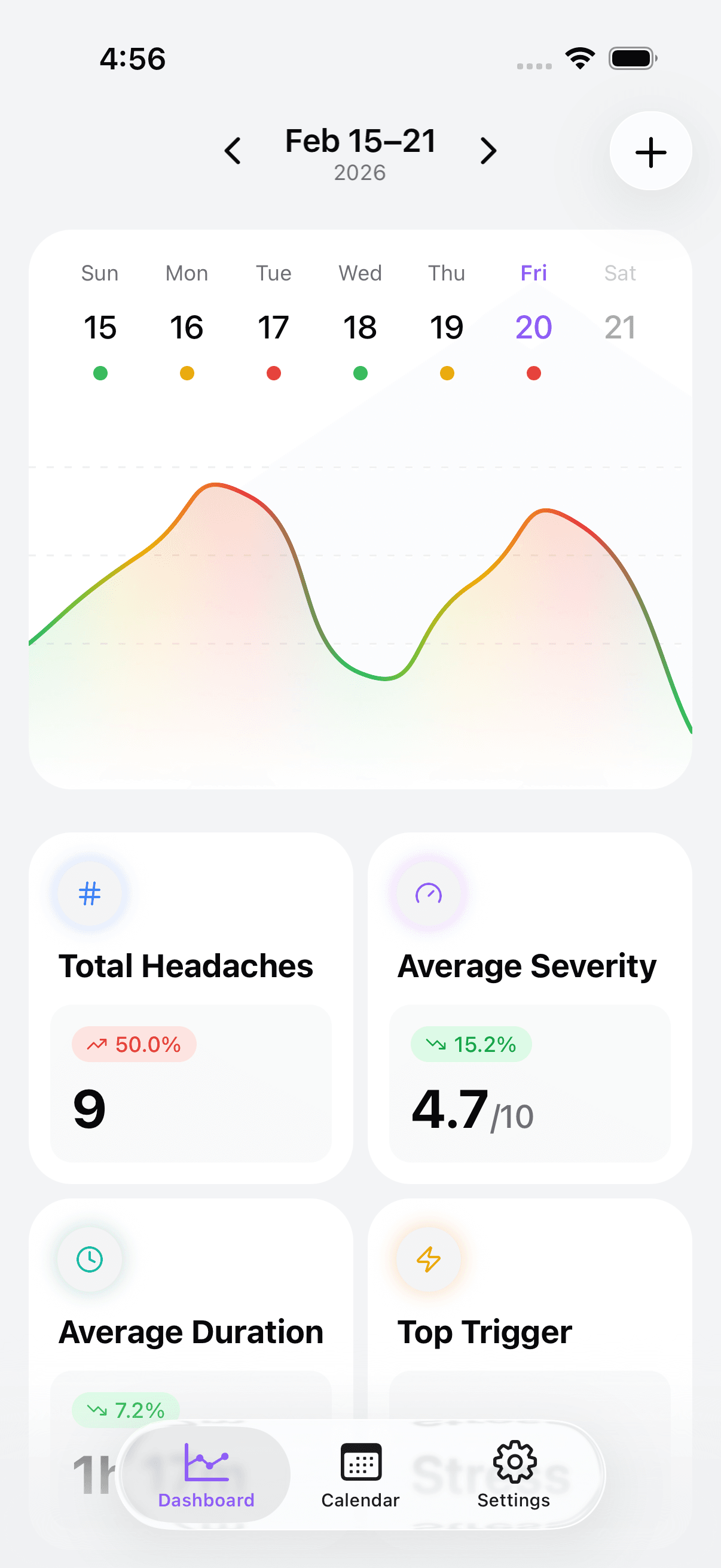
Take control of your headaches. Start tracking today.