Emma Reed
April 6, 2026

Video-Call Headaches: A Practical 14-Day Plan to Reduce Eye Strain, Neck Tension, and End-of-Day Crashes
If your head feels heavy after a day of video calls, you are not weak, dramatic, or “just bad at remote work.” Long meeting days can stack multiple headache triggers at once: bright screens, reduced blinking, neck tension, jaw clenching, shallow breathing, delayed meals, and cognitive overload from nonstop social attention.
Some people finish four calls and feel normal. Others finish two and feel pressure behind the eyes, temple pain, nausea, light sensitivity, or a full headache that ruins the evening. That difference is often about threshold and load, not willpower.
This guide is a practical, medically safe plan for reducing video-call headache risk over 14 days. No cure claims. No miracle gadget pitch. Just changes you can test, track, and keep.
Why video calls can trigger headaches
A video-call day is not one trigger. It is a stack:
- Visual strain: Brightness, glare, tiny text, and long focus distance demand sustained eye effort.
- Reduced blink rate: People blink less on screens, which can increase dryness and discomfort.
- Neck and shoulder loading: Static posture and forward-head position can amplify musculoskeletal tension.
- Jaw tension: Concentration and social stress can lead to subtle clenching for hours.
- Cognitive load: Interpreting faces, latency, and turn-taking on calls is mentally expensive.
- Routine drift: Meetings can delay hydration, meals, movement breaks, and bathroom breaks.
Each factor may be tolerable alone. Combined, they can exceed your symptom threshold.
Common symptom pattern on meeting-heavy days
Many people report a predictable timeline:
- Mild eye fatigue in the first call block
- Neck tightness or jaw pressure by mid-day
- Head pressure or throbbing by late afternoon
- Slower thinking and lower frustration tolerance
- Evening headache with prolonged recovery
Tracking that timeline matters because it gives you intervention windows before pain escalates.
What to track for 14 days (not just pain score)
For each workday, log:
- Total meeting minutes
- Longest uninterrupted call block
- Camera-on vs camera-off ratio
- Screen brightness setting (roughly low/medium/high)
- Lighting quality (natural light, overhead glare, backlit room)
- Symptom start time
- Symptom type (pressure, throbbing, eye pain, nausea, light sensitivity)
- Neck/jaw tension level (0-10)
- Hydration pattern
- Meal timing
- Caffeine timing/amount
- Sleep duration and consistency
- Stress load
This is not busywork. It helps separate “bad luck day” from repeatable trigger patterns.
A realistic 14-day protocol
Days 1-4: Baseline capture
Keep your workflow mostly unchanged. Observe and log.
- Do not overhaul your setup yet
- Mark symptom-free days too
- Note exact call blocks linked to symptom onset
Symptom-free days are useful because they reveal protective conditions (better sleep, shorter call blocks, better light, etc.).
Days 5-9: Targeted setup and routine upgrades
Pick 3-4 highest-yield changes and keep them consistent:
- Reduce glare (reposition screen or light source)
- Set readable text scale
- Enforce short between-call movement resets
- Add hydration and meal anchors
Do not change 15 things at once. You need clean signal.
Days 10-14: Recovery-speed optimization
By now you should know your early warning signs. Build a fast response protocol:
- Two-minute posture and breath reset at first symptoms
- Early sensory load reduction (brightness/noise)
- Short walk or mobility break before symptoms peak
- Prompt logging for future pattern analysis
Goal: fewer escalations and faster recovery, not perfect days.
Workstation changes that usually help
No need for expensive hardware to start. Prioritize basics:
- Screen position: Top third of monitor near eye level to reduce neck flexion.
- Text size: If you squint, increase scale. Tiny text is a headache tax.
- Contrast and brightness: Match screen to room brightness. Extreme contrast strains eyes.
- Glare control: Avoid bright windows directly behind or in front of screen.
- Audio quality: Better audio reduces cognitive strain from constant “what did they say?” effort.
Small ergonomic corrections can prevent hour-by-hour load accumulation.
Meeting architecture: the hidden trigger
Many headache-prone people focus on posture but ignore meeting design. A poor calendar can be the biggest trigger.
Try these practical rules:
- Cap consecutive camera-on calls where possible
- Reserve at least one no-meeting block daily
- Prefer 25/50-minute meetings over 30/60
- Batch lower-stakes calls to protect deep-work windows
- Use async updates when live discussion is unnecessary
This is not laziness. It is load management.
Micro-breaks that actually work
“Take breaks” is vague. Use specific, brief resets between calls:
- 30-60 seconds: look far away to relax near-focus demand
- 60-90 seconds: shoulder rolls + chin tuck + jaw unclench
- 60 seconds: slow nasal breathing to reduce stress arousal
- 60 seconds: sip water and stand up
Four tiny resets per half-day often outperform one long break taken too late.
Jaw clenching and facial tension: often missed
Many remote workers clench without noticing, especially during complex discussions.
Quick checks during meetings:
- Is your tongue pressed hard to the roof of your mouth?
- Are teeth touching continuously?
- Are eyebrows held tense for long periods?
- Are shoulders creeping toward ears?
If yes, do a 10-second release: lips closed, teeth apart, tongue relaxed, shoulders down. Repeat often.
Eye comfort protocol for heavy screen days
Eye strain can amplify headache intensity. Use a simple protocol:
- Blink intentionally at call transitions
- Increase font size before long agenda reviews
- Use softer background themes when possible
- Avoid staring at your own camera preview continuously
- Briefly shift gaze distance every few minutes
You are reducing visual friction, not trying to eliminate all screen exposure.
Hydration, meals, and caffeine timing still matter
Video calls can hijack basic physiology. Missed lunch plus late caffeine plus stress can lower your threshold fast.
Protect these anchors:
- Consistent first hydration window after waking
- Predictable meal timing on meeting-heavy days
- Caffeine timing that does not delay sleep
- Midday fuel before the longest call block
If you only optimize monitor settings and ignore routine basics, progress may stall.
Same-day rescue plan when symptoms begin mid-calendar
When you feel early pressure, act quickly and calmly:
- Lower screen brightness one step.
- Unclench jaw and drop shoulders.
- Stand and move for 2-3 minutes.
- Hydrate steadily.
- If possible, take one call audio-only.
- Log exposure context while fresh.
Early intervention usually works better than “powering through” until pain spikes.
What usually backfires
Common mistakes:
- Buying gear before fixing schedule structure
- Taking one giant break after symptoms are severe
- Ignoring jaw and neck tension because “it’s probably just stress”
- Skipping meals to stay “efficient”
- Adding too many changes at once and losing signal
Consistency beats intensity.
Working with your team without sounding high-maintenance
You can advocate for headache-safe practices professionally:
- Ask for default 25/50-minute meetings
- Propose camera-optional portions for update-heavy calls
- Suggest async status notes for low-complexity topics
- Block recovery gaps around high-stakes meetings
Frame requests around quality and decision-making, not personal fragility.
How to evaluate progress at day 14
Use simple metrics:
- Headache days this period vs prior period
- Average symptom severity
- Time from first symptom to recovery
- Number of call blocks completed without escalation
- Evening function after meeting-heavy days
Then decide:
- Which interventions had highest payoff?
- Which were annoying and unsustainable?
- What should become default for the next month?
Medical safety and when to seek care
This article is educational and not a diagnosis or treatment plan. If headaches are frequent, worsening, or disruptive, discuss symptoms with a clinician. Seek urgent care for sudden severe “worst headache,” new neurological symptoms (weakness, confusion, trouble speaking, vision loss), fever with stiff neck, or headache after significant head injury.
If you use acute medication, follow your clinician’s guidance and discuss frequency limits to reduce medication-overuse risk.
A sustainable long-term approach
You do not need a perfect calendar, perfect posture, and perfect habits every day. You need a repeatable system:
- Track your pattern honestly
- Reduce highest-yield trigger stacks
- Protect hydration, meals, and sleep consistency
- Intervene early at symptom onset
- Review data and adjust monthly
That is how headache risk usually becomes more predictable and manageable.
Quick FAQ
Do blue-light glasses solve video-call headaches? For some people they may reduce discomfort, especially in certain lighting contexts, but they are not a universal fix. Test them as one variable, not your whole strategy.
Is camera-off “cheating”? Not if outcomes improve. Use camera intentionally for high-value moments and reduce unnecessary visual load where culture allows.
What if your headaches are inconsistent? Inconsistency is common and often reflects threshold effects. Look at stacked factors: poor sleep, long call blocks, missed meals, stress spikes, and prolonged static posture.
How fast should you expect improvement? Some people notice improvement in days. For many, meaningful stability appears over a few weeks of consistent habits.
Final takeaway
Video-call headaches are usually a load-management problem, not a personal failure. When visual strain, posture tension, cognitive demand, and routine drift pile up, symptoms rise. When you redesign the day with small, measurable changes, your head often stops paying the full price of your calendar.
No miracle cure. Just better systems, fewer crash days, and a work rhythm your nervous system can tolerate.
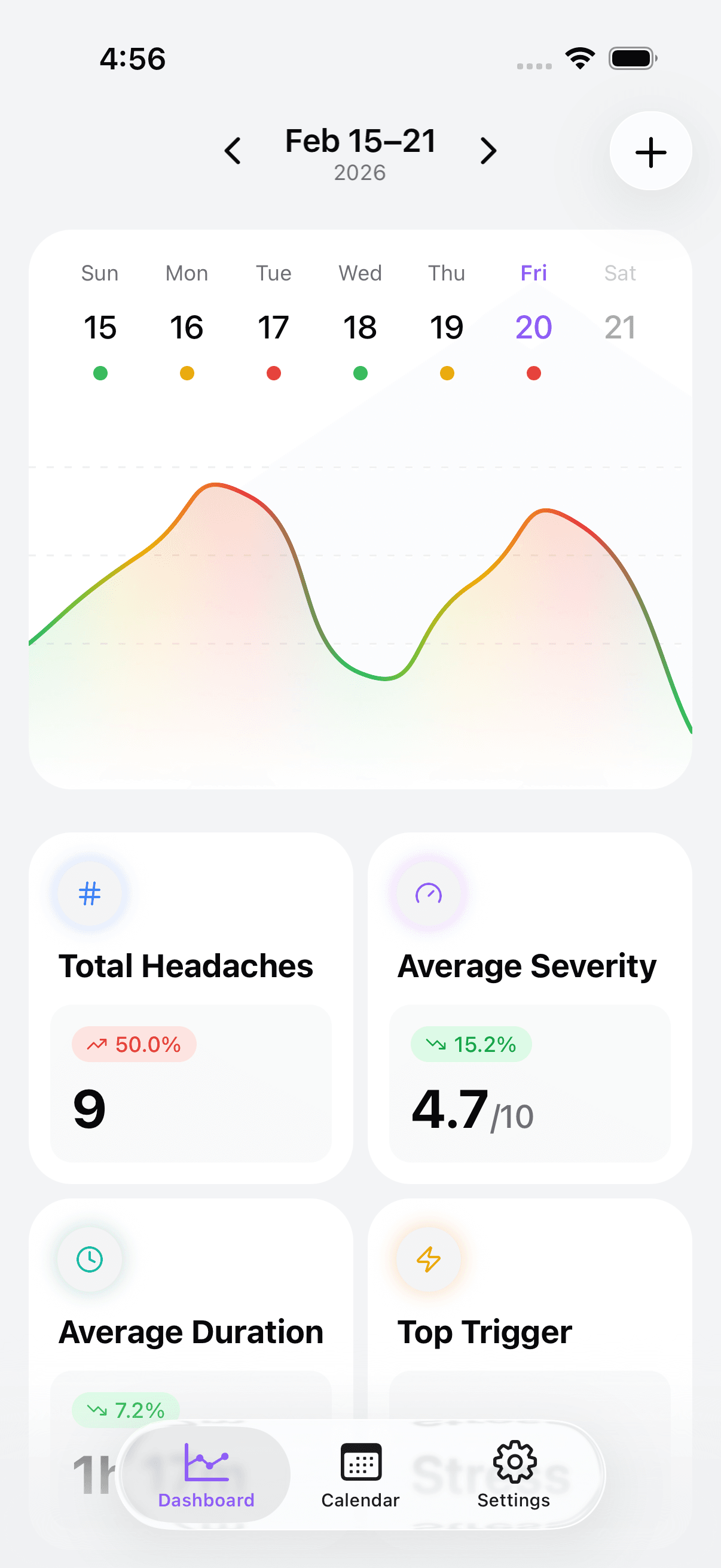
Take control of your headaches. Start tracking today.